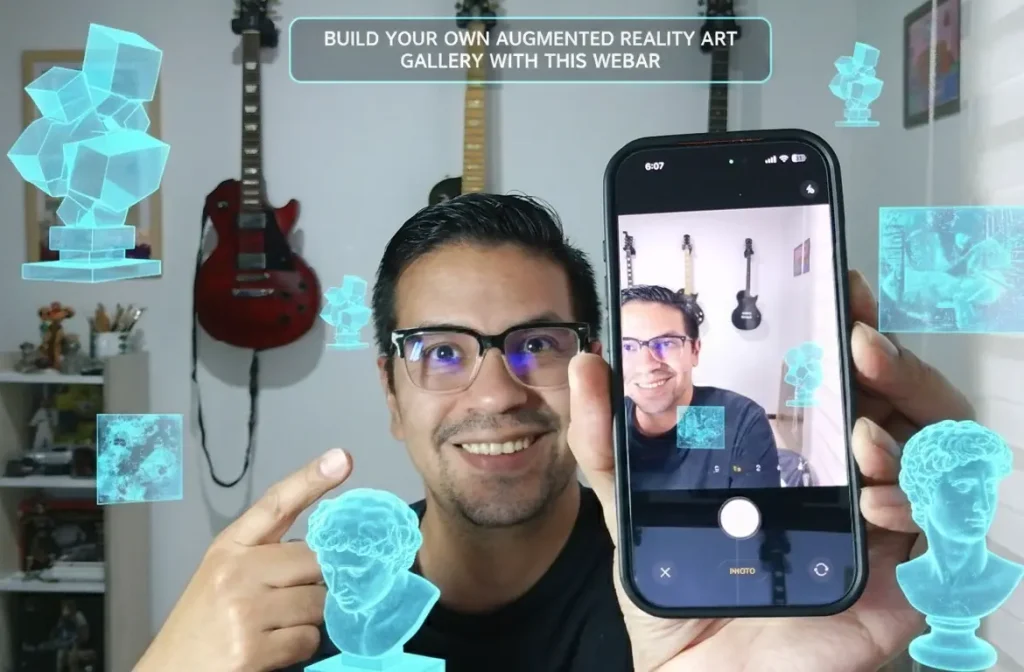
Would you like to get the complete HTML, CSS, and JavaScript source code, commented line-by-line for your learning? You can simply upload these files to your server and start enjoying the «Build Your Own Augmented Reality Art Gallery with This WebAR» application right away. Support my work and get the files on Patreon at the following link: Build Your Own Augmented Reality Art Gallery
What is Augmented Reality?
Before diving into the code, it is worth asking: what is augmented reality? At its core, it is the overlay of digital information—images, videos, or 3D models—onto the physical world through a device’s camera. This augmented view of our environment creates interactive layers that enhance our perception of space and time.
Why WebAR?
The barrier to entry for AR used to be high. Users had to install specific software, which often led to high «bounce rates» (people leaving before trying the experience). Web-based AR (WebAR) solves this by running directly in the mobile browser (Safari or Chrome), serving as a gateway to more complex mixed reality environments.
Transforming the Experience of Augmented Reality Art WebAR
By using technology to create mixed reality experiences, we can add a new layer of storytelling to physical objects. Imagine:
- A physical painting that, when scanned, shows the process of its creation.
- A business card that projects a gallery of your best work. Crea Tarjetas de Presentación con Realidad Aumentada
- A photo album that comes to life with additional digital memories.
How This App Works
This specific application uses MindAR and A-Frame. Here is the workflow:
- Capture: You take a photo of a «marker» (any flat image or object).
- Upload: You select the photos you want to display.
- Project: The app compiles the marker data locally and uses your camera to track the object, projecting your gallery in 3D space.
Interactive Feature: Once the AR mode is active, you can simply tap the floating image to cycle through your entire gallery.
Try the app at the following link. Crea tu Galería en Realidad Aumentada | WebAR Minimalist Studio
The Future of Creative Apps
As technologies like mixed reality and augmented reality applications become more stable and accessible, the line between the physical and digital world will continue to blur. Tools like this empower artists to experiment with immersive technology today, using nothing more than a few lines of code and a vision.
Want to build your own app?
Here is the JavaScript code to create your own WebAR experience and view your photos in augmented reality.
    <script type="module">
        let photoUrls = [];
        let currentIdx = 0;
        let mindBlobUrl = null;

        document.getElementById('target-input').addEventListener('change', async (e) => {
            const file = e.target.files[0];
            if (!file) return;

            const barContainer = document.getElementById('bar-compiling');
            const barProgress = document.getElementById('loading-progress');
            barContainer.style.display = 'block';

            const img = new Image();
            img.src = URL.createObjectURL(file);
            img.onload = async () => {
                const compiler = new window.MINDAR.IMAGE.Compiler();
                await compiler.compileImageTargets([img], (p) => {
                    barProgress.style.width = p + "%";
                });
                const data = await compiler.exportData();
                mindBlobUrl = URL.createObjectURL(new Blob([data]));

                document.getElementById('step1').style.display = 'none';
                document.getElementById('step2').style.display = 'block';
            };
        });

        document.getElementById('gallery-input').addEventListener('change', (e) => {
            const files = Array.from(e.target.files);
            const grid = document.getElementById('gallery-grid');
            files.forEach(file => {
                const url = URL.createObjectURL(file);
                photoUrls.push(url);
                const thumb = document.createElement('img');
                thumb.src = url; thumb.className = 'thumb';
                grid.appendChild(thumb);
            });
            if (photoUrls.length > 0) {
                document.getElementById('start-ar-btn').style.display = 'flex';
            }
        });

        document.getElementById('start-ar-btn').addEventListener('click', () => {
            document.getElementById('step2').style.display = 'none';
            document.getElementById('step3-ar').style.display = 'block';

            const sceneEl = document.createElement('a-scene');
            const mindConfig = `imageTargetSrc: ${mindBlobUrl}; autoStart: true; uiLoading: no; uiScanning: yes; filterMinCF:0.001; filterBeta: 10;`;

            sceneEl.setAttribute('mindar-image', mindConfig);
            sceneEl.setAttribute('embedded', '');
            sceneEl.setAttribute('vr-mode-ui', 'enabled: false');
            sceneEl.setAttribute('renderer', 'colorManagement: true; antialias: true; alpha: true;');

            sceneEl.innerHTML = `
                <a-camera position="0 0 0" look-controls="enabled: false" cursor="fuse: false; rayOrigin: mouse;" raycaster="far: 10000; objects: .clickable"></a-camera>
                <a-entity id="ar-target" mindar-image-target="targetIndex: 0">
                    <a-image id="ar-view" class="clickable" position="0 0 0.05" material="shader: flat; side: double; transparent: true;"></a-image>
                </a-entity>
            `;

            document.getElementById('step3-ar').appendChild(sceneEl);

            sceneEl.addEventListener('loaded', () => {
                const display = document.getElementById('ar-view');
                display.addEventListener('click', (evt) => {
                    evt.stopPropagation();
                    currentIdx = (currentIdx + 1) % photoUrls.length;
                    updateGalleryAR();
                });
                updateGalleryAR();
            });
        });

        function updateGalleryAR() {
            const display = document.getElementById('ar-view');
            if (!display) return;

            const url = photoUrls[currentIdx];
            const loader = new THREE.TextureLoader();

            loader.load(url, (texture) => {
                const img = texture.image;
                const ratio = img.height / img.width;
                const studioWidth = 0.8;
                display.setAttribute('width', studioWidth.toString());
                display.setAttribute('height', (studioWidth * ratio).toString());

                const mesh = display.getObject3D('mesh');
                if (mesh && mesh.material) {
                    if (mesh.material.map) mesh.material.map.dispose();
                    texture.colorSpace = THREE.SRGBColorSpace;
                    texture.needsUpdate = true;
                    mesh.material.map = texture;
                    mesh.material.needsUpdate = true;
                }
            });
        }
    </script>
Support my work and get the files on Patreon at the following link: Build Your Own Augmented Reality Art Gallery
Looking for more articles: Archivo del Blog: Todos los Articulos de WebAR en un Lugar